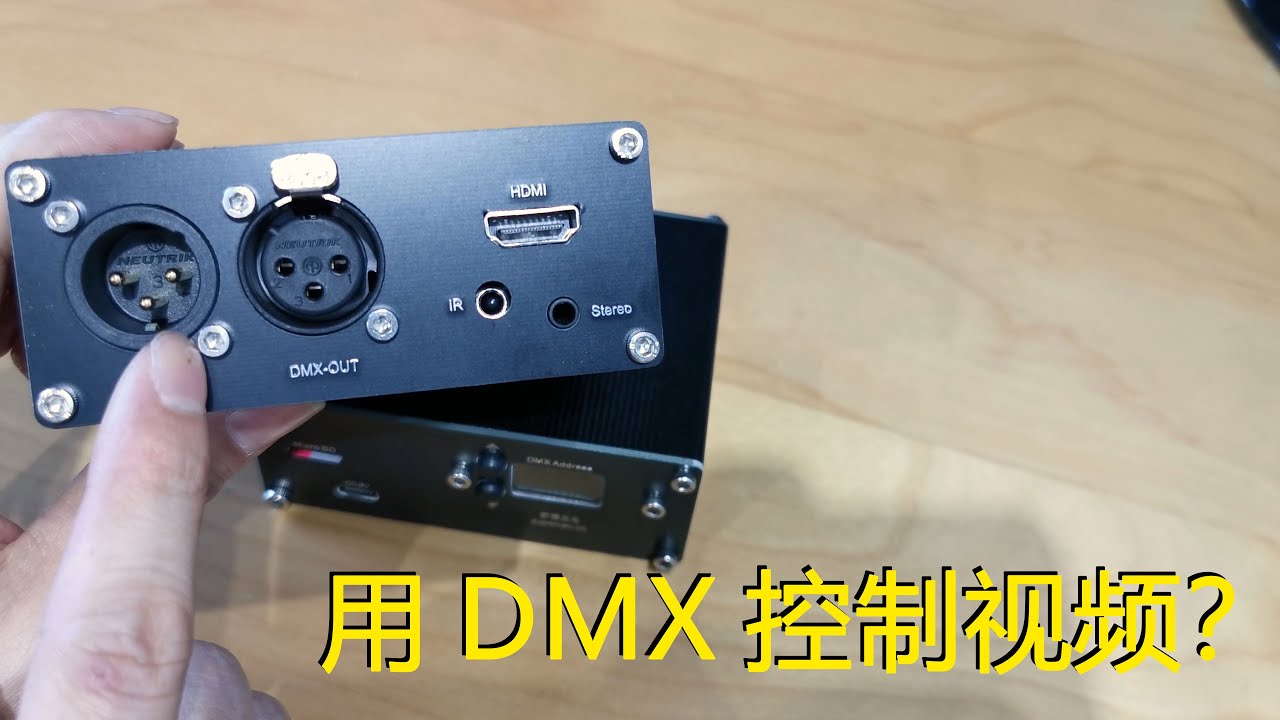
Standalone DMX-Triggered HD Media Player — no PC, just XLR in, HDMI out
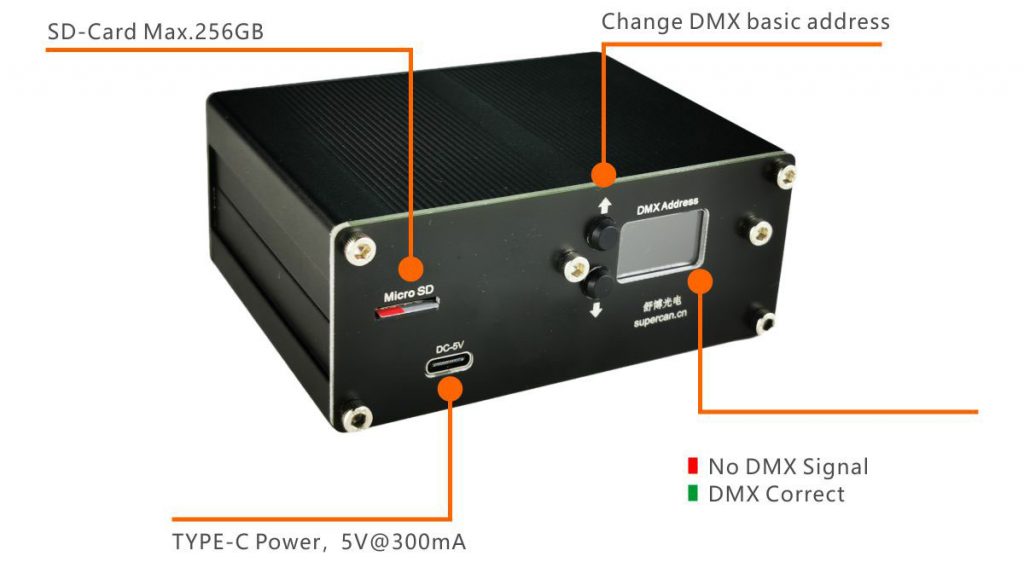
The V3 turns any DMX-512 lighting desk into a Full HD video server. Load clips onto an SD card, plug in XLR and HDMI, and your lighting operator can trigger 1920 × 1080 video — no PC, no video crew, no extra software.
- SD-card library — up to 256 GB, 255 clips per card.
- Address & status — set DMX start address on the built-in TFT screen.
- USB-C power — 5 V / 300 mA from any phone charger or USB hub.
- Clip selection from the console — pick any of 255 files directly from a DMX channel.
- Transport control — Play / Pause / Stop triggered by a single DMX slider.
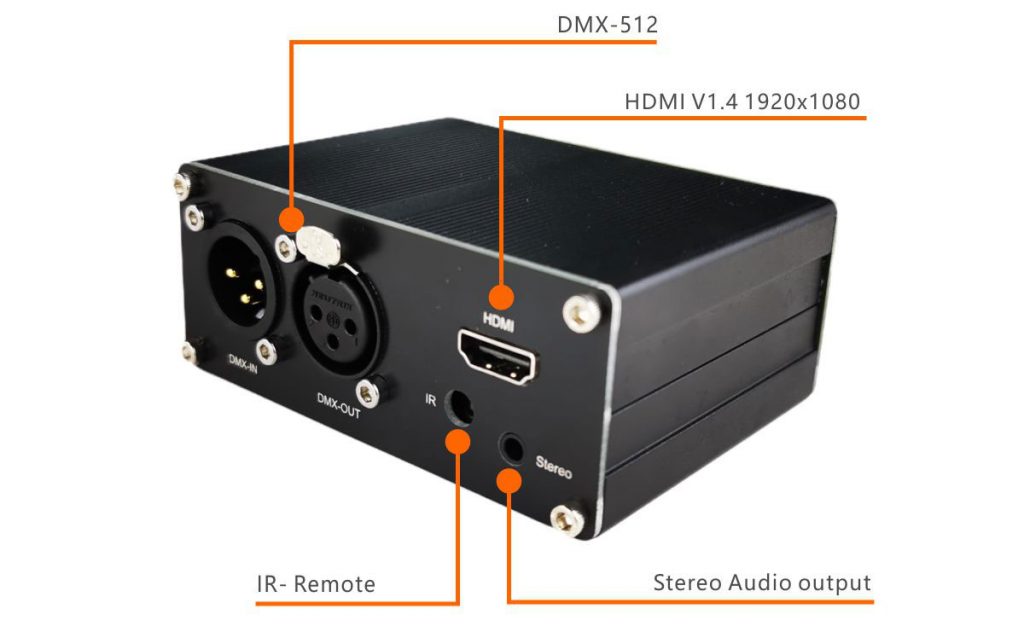
- Dual audio output — HDMI embedded audio or analog 3.5 mm TRS jack. Audio level is set at the source, not over DMX.
- HDMI 1.4 output — up to 1920 × 1080 @ 30 fps to any screen, projector or LED processor.
- Standard DMX-512 input — 3-pin XLR, compatible with every major DMX-512 lighting console.
Specifications
| Control protocol | DMX-512 (3-pin XLR input) |
|---|---|
| Video output | HDMI 1.4, up to 1920 × 1080 @ 30 fps |
| Audio output | HDMI embedded + analog 3.5 mm TRS stereo |
| Volume control | Set at the source — not a DMX parameter |
| Storage | microSD / microSDHC / microSDXC up to 256 GB, 255 files max |
| Display | Built-in colour TFT (DMX address & status) |
| Power | USB Type-C, 5 V / 300 mA (≈ 1.5 W) |
| Accepted formats | H.264 MP4 (use SUPERCAN Media Convert tool for guaranteed playback) |
Who uses the V3
- Stage & event LDs — fire synchronised lower-thirds and content loops straight from the lighting desk.
- Museums & immersive rooms — long-running installations that boot on power-on and run without a PC.
- Houses of worship — cue service graphics as a normal lighting scene.
- Retail & hospitality — drive shop-window LED screens from a DMX scheduler.
- Theme parks & escape rooms — tie video hits to show control without a dedicated video server.
Frequently Asked Questions
Which SD card should I use?
Class-10 microSDHC/microSDXC, 64–256 GB. Max 255 files per card.
Does it work with every DMX-512 console?
Yes — any console outputting standard DMX-512 over 3-pin XLR.
Maximum resolution?
Full HD 1920 × 1080 @ 30 fps. For 2K see the V82K model.
Can the lighting desk control volume?
No — HDMI audio is carried out through the 3.5 mm TRS jack and its level is set at the source, not over DMX. The player occupies two DMX channels: CH1 selects the video file, CH2 sets loop or blackout at end of file.
Will my existing MP4 files play?
In most cases yes. For guaranteed playback, run your clips through the SUPERCAN Media Convert tool (linked below).
Warranty & lead time?
12-month manufacturer warranty. Orders ship within one week by DHL / FedEx from Foshan.
Ready to order?
Tell us the quantity, destination country and show date — we’ll reply with a quote, shipping options and any matching accessories.
Request a Quote WhatsApp Linda
Also available: DMX HDMI Video Player V82K — 2K output
- DMX HDMI V3 User Manual (PDF)
-
Cover Drawing.pdf
-
Latest Firmware on Google Driver
-
Media convert tool v27.Dec.2024

Quick Media Convert tool now is available for download
Just drag your media file to the software, no matter audio file or video file.